Zapier Projects
1. Instant Lead Management and Qualification System
Problem
Slow response times and manual effort in qualifying, logging, and routing incoming leads, which can result in missed sales opportunities or delayed follow-ups.
Solution
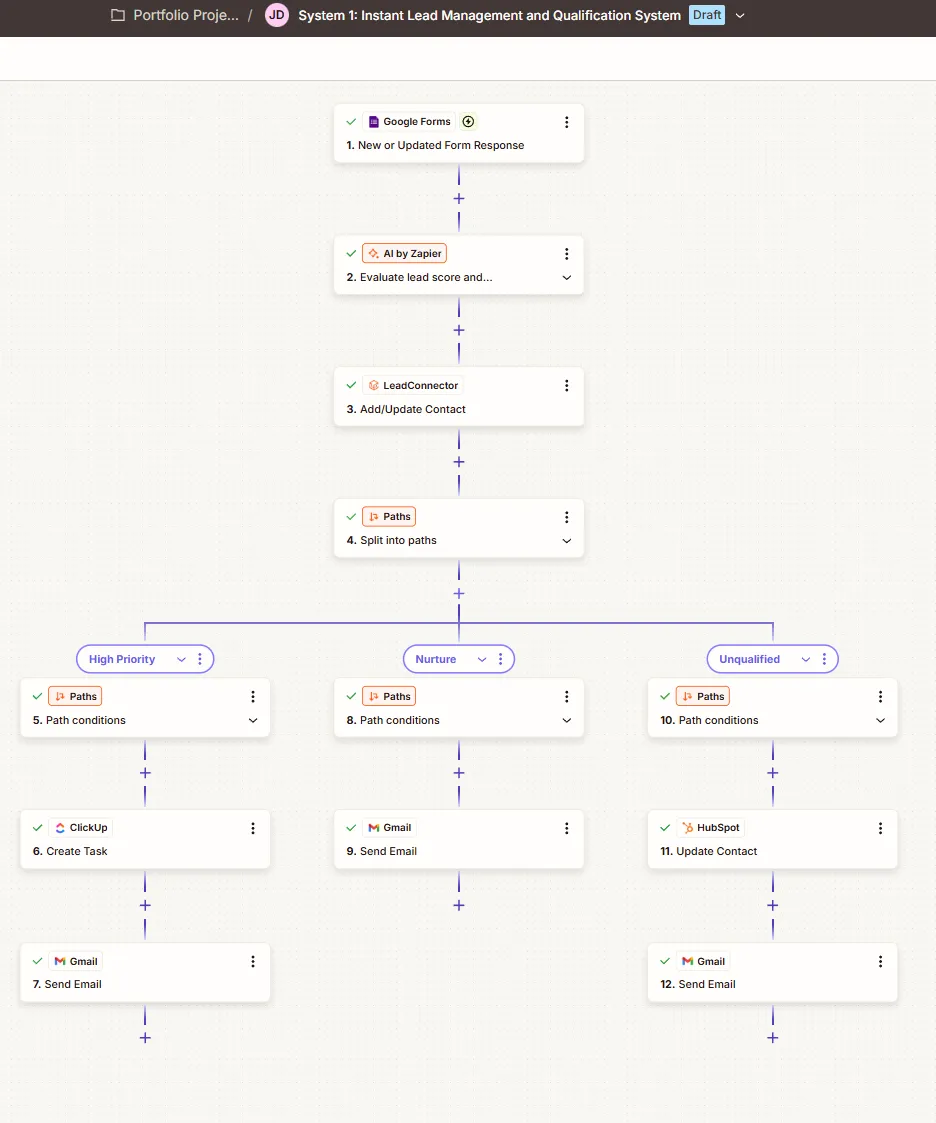
Automatically collects form responses (Google Forms), uses AI (AI by Zapier) to score and evaluate the leads, logs the data in a CRM (HubSpot), and automatically routes them based on priority—creating task assignments in ClickUp for high-priority leads or sending targeted nurture emails via Gmail.
2. Appointment and Reminder System
Problem
Manual tracking of scheduled meetings leading to missed CRM updates, late meeting reminders, and higher no-show rates for appointments.
Solution
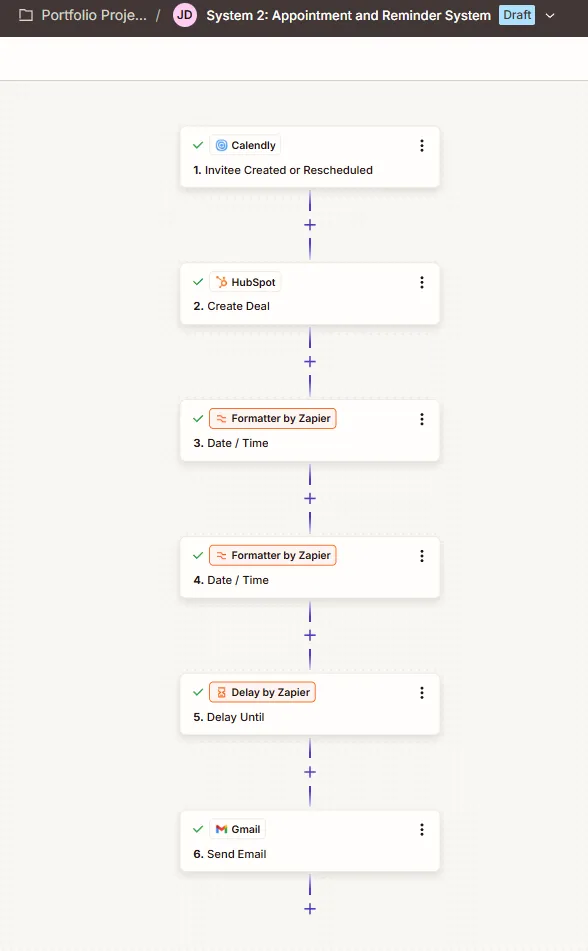
Triggers automatically when a meeting is booked or rescheduled (Calendly), creates a sales deal in the CRM (HubSpot), formats the appointment timestamps (Formatter by Zapier), delays execution until the scheduled time (Delay by Zapier), and sends automated email reminders (Gmail) to prevent no-shows.
3. Call Summarizer & Proposal Generator
Problem
Manual post-meeting documentation takes up significant administrative time, risks missing key client takeaways, and delays the delivery of post-call proposals or task delegation.
Solution
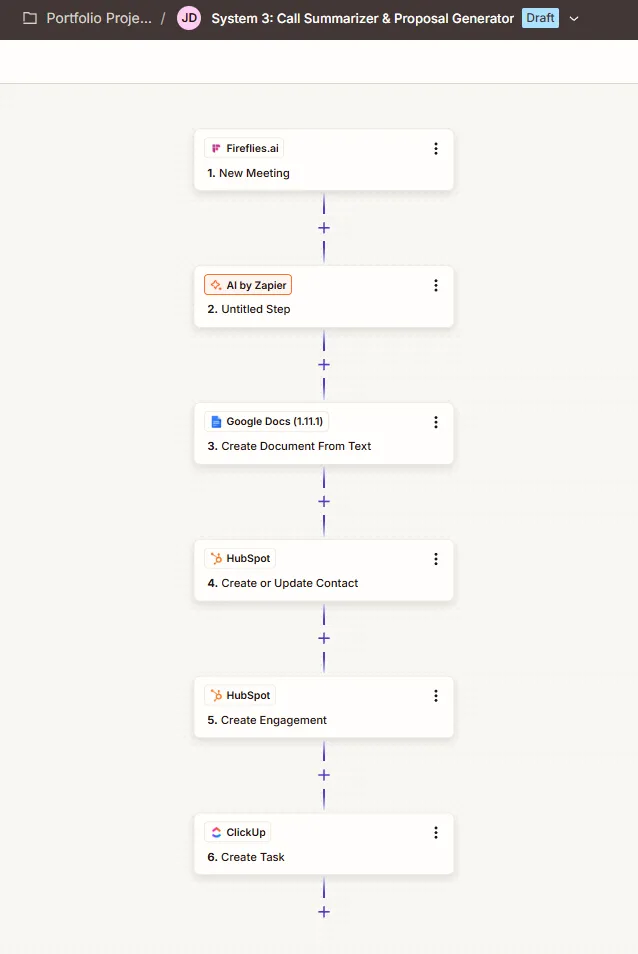
Triggers automatically when a new meeting transcript is recorded (Fireflies.ai), uses AI (AI by Zapier) to summarize the call into a proposal draft, generates a Google Doc from the text (Google Docs), updates the client profile and logs meeting notes in the CRM (HubSpot), and automatically creates action items for team follow-up (ClickUp).
4. Onboarding System
Problem
Manual client onboarding creates delays and administrative overhead in setting up project workspaces, communication channels, and sharing kick-off assets for new clients.
Solution
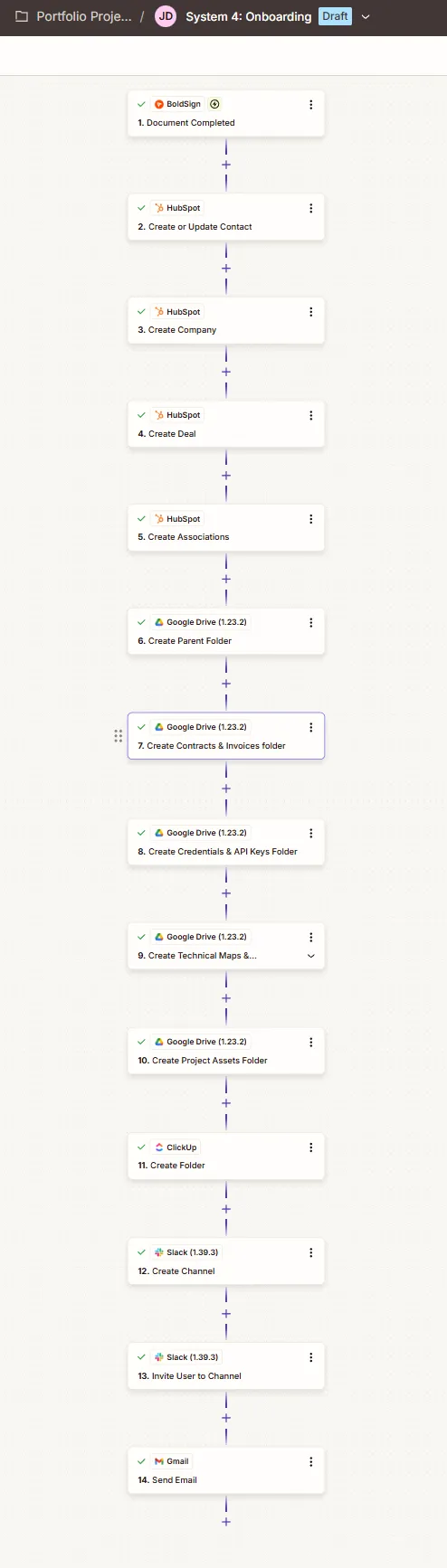
Streamlines the client onboarding process (System 4: Onboarding) by automatically creating a dedicated project assets folder (Google Drive), setting up a structured task management workspace (ClickUp), provisioning a client communication channel and inviting members (Slack), and sending an automated welcome email with next steps (Gmail).